
Integrate Facebook Leads into Real Estate CRM
Real Estate Marketing, Real Estate Systems, Facebook Lead Ads
How to Integrate Facebook Lead Ads Directly into Your Real Estate Follow Up System
For a busy real estate agent, speed to lead is everything. You can run the best Facebook lead ads in your market, but if new inquiries sit in your inbox for hours, those potential clients will talk to another experienced real estate agent first. The solution is simple: connect Facebook lead ads directly to your real estate follow up system so every new contact flows instantly into your real estate CRM and your realtor follow up system responds automatically.
Why Direct Integration Matters for Real Estate Lead Generation
Facebook lead ads are designed to make real estate lead generation as frictionless as possible. Prospects tap an ad, their details auto-fill, and they submit in seconds. The problem arises when those leads are stuck in Facebook’s interface or emailed as CSV files that someone on your team has to download and upload into your real estate CRM. That manual step kills responsiveness and consistency in your real estate follow up process.
An experienced real estate agent knows that the first agent to respond with value usually wins the appointment. Direct integration between Facebook lead ads and your real estate systems ensures:
Instant capture: New leads appear in your real estate CRM within seconds, not hours.
Automated real estate follow up: Texts, emails, and task reminders fire automatically from your realtor follow up system.
Accurate tracking: Every Facebook lead is tagged, tracked, and nurtured inside your core real estate systems.
📌 Key Takeaway: The real value of Facebook lead ads is unlocked only when they are tightly integrated with your real estate CRM and follow up workflows.
Step 1: Clarify Your Real Estate Follow Up Workflow First
Before you touch any settings in Facebook, map out what should happen after someone submits your ad. A strong realtor follow up system is intentional, not accidental. Ask yourself, as a professional real estate agent:
What is the first message a new lead should receive? Text, email, or both?
How quickly should an experienced real estate agent on your team call them?
How many days of real estate follow up will you automate before moving them to a long-term nurture campaign?
Document the ideal sequence: immediate confirmation, same-day call attempt, follow up texts, educational emails, and reminders for your team. Your real estate systems should reflect this journey so that when Facebook lead ads are integrated, every new contact automatically enters the right path without extra work from you or your staff.
Step 2: Choose the Right Real Estate CRM and Integration Method
Not all real estate CRMs handle Facebook lead ads the same way. Some platforms offer a native integration; others rely on third-party tools. As a growth-minded real estate agent, you want a setup that is reliable, compliant, and easy for your team to manage. Typically, you will use one of three approaches:
Native CRM integration: Many real estate CRM platforms connect directly to Facebook’s Lead Ads API. You log into your CRM, authenticate your Facebook account, choose the page and form, and map the fields. This is usually the most straightforward option for a busy real estate agent.
Automation tools (e.g., Zapier, Make): If your CRM doesn’t have a built-in connector, you can use an automation platform. These tools watch for new Facebook leads and then push them into your realtor follow up system, triggering tags, pipelines, and campaigns.
Custom integrations: Larger teams with in-house tech support may build custom connections using Facebook’s API. This gives maximum control but requires ongoing maintenance and isn’t necessary for most agents.
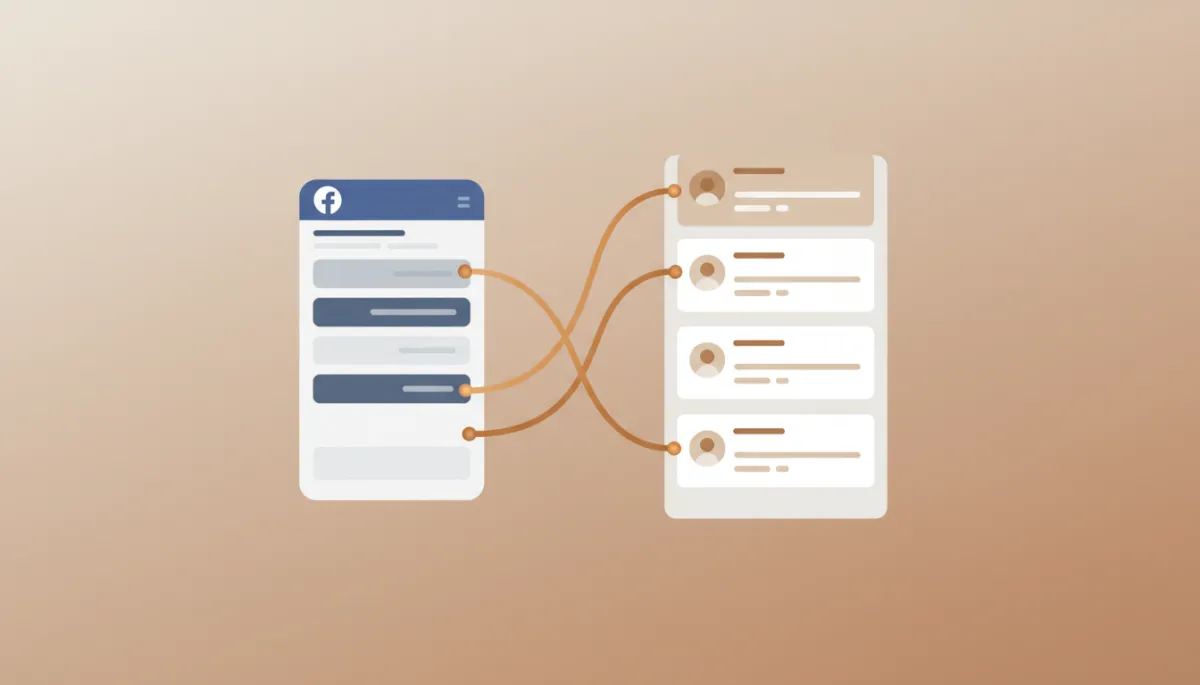
Clean field mapping keeps every Facebook lead organized and ready for rapid follow up.
Step 3: Connect Your Facebook Lead Form to Your Real Estate Systems
Once you have clarity on your process and tools, it is time to connect the pieces. While the exact screens vary by platform, the overall flow is similar for any experienced real estate agent or team leader setting this up:
In your real estate CRM or automation tool, locate the Facebook Lead Ads integration option and connect your Facebook account.
Select the Facebook Page that is running your real estate lead generation campaigns and choose the specific lead forms you want to sync.
Map each field from the Facebook form (name, email, phone, property preferences, budget) to the corresponding fields in your realtor follow up system. Avoid dumping everything into a notes field; structured data makes your real estate follow up more targeted and personal.
Assign tags, sources, or pipelines so your CRM knows these contacts came from Facebook lead ads. This is essential for reporting and optimizing your real estate lead generation strategy later.
💡 Pro Tip: Create separate Facebook forms for buyers, sellers, and investors, and map each to different pipelines in your real estate CRM for more relevant follow up.
Step 4: Automate Immediate and Long-Term Real Estate Follow Up
With the integration live, the next priority is designing the actual follow up campaigns your real estate systems will run. The goal is to blend automation with a human touch so every lead feels seen, not spammed. A professional real estate agent can use automation to start the conversation, then step in personally at key moments.
Consider building:
An instant text that thanks them for requesting information and invites a quick reply with their timeframe or area of interest.
An instant email that confirms what they requested (home list, valuation, guide) and introduces you as their dedicated real estate agent.
A call task for you or an experienced real estate agent on your team to attempt contact within 5–15 minutes of the lead coming in.
A short-term nurture sequence (7–14 days) with texts and emails that provide value: new listings, market insights, and next steps.
Your realtor follow up system should also route unresponsive leads into a longer-term nurture campaign. This is where your real estate systems can quietly follow up for months with market reports, neighborhood spotlights, and buyer or seller education, keeping you top of mind until they are ready to move.
Step 5: Test, Monitor, and Refine Your Integration
Even the best-designed real estate systems need testing. Before you scale your ad spend, run through the full journey like a prospect would. Submit your own Facebook lead ad form and watch what happens inside your real estate CRM:
Does the contact appear instantly with the right tags and source?
Do the automated text and email arrive quickly and read like they were written by a professional real estate agent?
Are the follow up tasks assigned to the correct team member or agent?
Over time, track key metrics inside your realtor follow up system: contact rate, appointment rate, and closed deals per 100 Facebook leads. An experienced real estate agent will regularly adjust ad copy, form questions, and follow up scripts based on what the data shows. Because everything flows through your real estate CRM, you can clearly see which campaigns and messages generate real conversations and listings.
Common Pitfalls and How Professionals Avoid Them
Many agents invest in Facebook lead ads but never realize their full potential because of avoidable mistakes in their real estate systems. Here are a few traps to watch for:
Relying on email notifications only: If your process depends on someone checking an inbox and manually adding leads to your real estate CRM, you will lose deals to faster agents.
Over-asking on the form: Long, complicated forms reduce conversion. Let your realtor follow up system gather deeper details later through conversations and surveys.
No differentiation by lead type: Buyers and sellers need different messaging. Segment your real estate lead generation campaigns and follow up plans accordingly.
📌 Key Takeaway: Professionals treat integration as an ongoing system, not a one-time setup. They continually refine both their Facebook lead ads and their real estate follow up sequences.
Turning Facebook Leads into Predictable Appointments
When Facebook lead ads are fully integrated into your real estate follow up system, they stop being “internet leads” and become just another reliable channel feeding your business. Every new contact flows straight into your real estate CRM, your realtor follow up system responds immediately, and your team focuses on having real conversations instead of chasing spreadsheets and emails.
For the modern real estate agent, this is what separates sporadic closings from a predictable pipeline. By taking the time to connect your Facebook lead ads directly to your real estate systems, you build an engine that works 24/7—capturing, organizing, and nurturing leads so you can do what an experienced real estate agent does best: advise, negotiate, and close.
Start with a clear follow up plan, choose a capable real estate CRM, integrate your Facebook lead forms, and let your realtor follow up system do the heavy lifting. The result is faster response times, higher conversion rates, and a real estate business that grows on purpose, not by accident.
Shawn Bell is the founder of The Realtors Blueprint, a system installation platform built specifically for experienced agents. If you recognized your business in this article, the [Leak Check] shows you exactly where your follow-up infrastructure is breaking down — and what to fix first.


