
Effective Real Estate CRM Setup for Daily Use
Real Estate, CRM, Productivity
How to Set Up a Real Estate CRM That Actually Gets Used Every Day
For many realestateagent teams, the Real Estate CRM starts as a big promise and quickly becomes an expensive, half-used database. The difference between a forgotten tool and a high-performing realestatesystems hub comes down to how you set it up from day one. This guide walks professionals step by step through building a Real Estate CRM environment that drives Daily CRM Usage, consistent realestatefollowup, and real revenue.
Start With the Outcome: What Should Your CRM Do Every Day?
Before you touch any Real Estate Software settings, clarify what “success” looks like. A Real Estate CRM is not just a contact list; it is a daily action engine for every realestateagent on your team. For an experiencedrealestateagent, that usually means three core outcomes:
A prioritized call, text, and email list for the day based on pipeline and urgency
Clean visibility into where every lead, prospect, and client is in the sales process
Automated realestatefollowup that keeps relationships warm between live conversations
When you define these outcomes first, your Real Estate CRM setup becomes intentional. Every field, tag, and automation should support these daily behaviors rather than creating data clutter that professionals will ignore.
Choose the Right Real Estate CRM for Your Business Model
Not every Real Estate Software platform fits every business. A solo realestateagent with a referral-based business has different needs than a high-volume team fielding hundreds of portal leads per month. When evaluating Real Estate CRM options, look beyond marketing claims and focus on:
Lead source integration: Can you connect your website, portals, open house forms, and past-client lists so no lead has to be entered manually?
Task and calendar tools: Does the Real Estate CRM create clear, time-bound tasks that sync with the calendars your team already uses?
Automation that is easy to edit: Can a non-technical, experiencedrealestateagent adjust workflows without calling support every time?
Mobile experience: Is Daily CRM Usage realistic from a phone between showings and listing appointments?
💡 Pro Tip: Involve at least one top-producing realestateagent in the selection process. If your highest performers dislike the Real Estate Software, adoption will be an uphill battle.
Design a Simple, Visual Pipeline That Matches How You Actually Work
Complex pipelines kill Daily CRM Usage. Your Real Estate CRM should mirror the real steps a client takes from new lead to closed deal and beyond. For most professional teams, a clean pipeline might include:
New Lead (no contact yet)
Contacted (conversation started, needs assessment underway)
Nurture (not ready now, but likely within 3–12 months)
Active Buyer / Active Seller (signed agreement or committed relationship)
Under Contract (transaction in progress)
Closed & Past Client (ready for long-term realestatefollowup)
Keep stage names short and obvious. Every realestateagent on the team should be able to place any contact in the right stage in seconds. That clarity is what makes your Real Estate CRM a reliable forecasting and accountability tool instead of a guessing game.
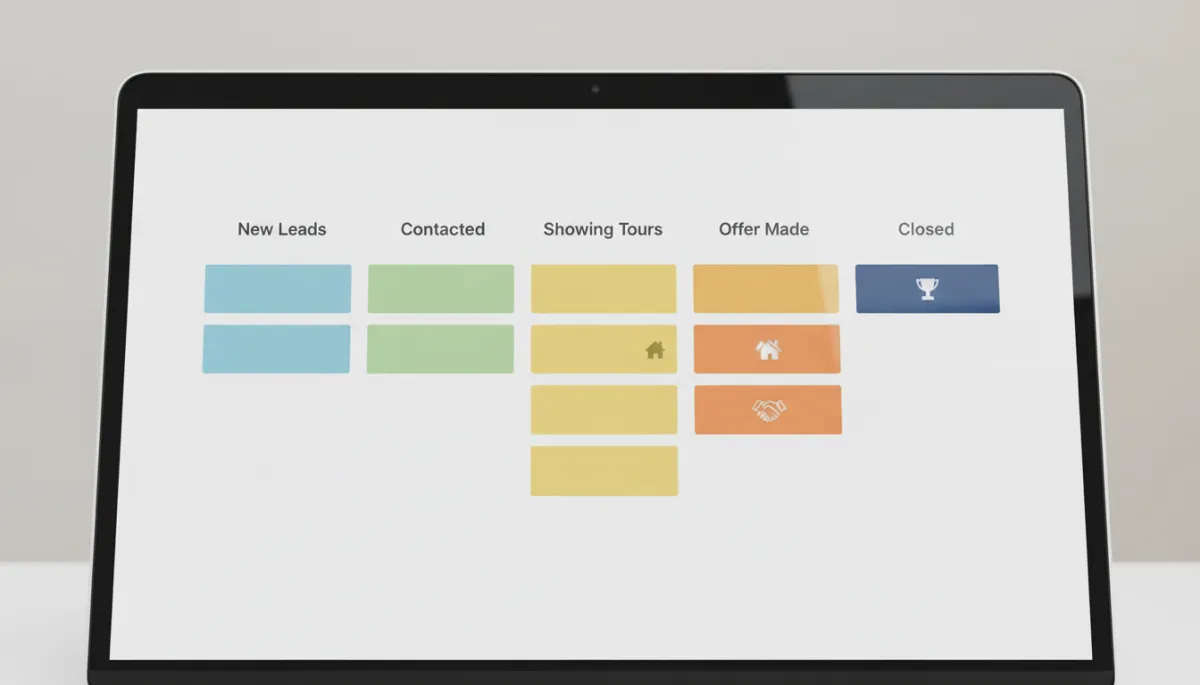
A simple, stage-based pipeline helps agents see exactly where to focus today.
Standardize Data: Fields, Tags, and Notes That Support Action
Realestatesystems fall apart when every agent invents their own way of entering data. To keep your Real Estate CRM actionable, define a small set of required fields every time a new contact is created. For example:
Lead source (portal, referral, open house, website, farming, etc.)
Timeframe (0–3 months, 3–6 months, 6–12 months, 12+ months)
Motivation (move-up, relocation, downsizing, investor, first-time buyer)
Budget or price range
Next, create a controlled tag list for your Real Estate CRM. Tags should answer questions that impact realestatefollowup strategy, such as “hot,” “cold,” “investor,” “past client,” or “sphere of influence.” Avoid letting agents free-type tags; that leads to duplicates and confusion that undermine the power of your Real Estate Software reporting.
💡 Pro Tip: Create a short data entry checklist for new leads and train every realestateagent to complete it within 24 hours of first contact.
Build Follow-Up Plans for Each Stage, Not Just One-Off Tasks
The real power of modern Real Estate Software lies in structured follow-up plans. Instead of leaving it to memory, design stage-based realestatefollowup sequences in your Real Estate CRM:
New Lead Plan: Multiple touches in the first 7–10 days (calls, texts, and emails) with scripts and templates pre-loaded for agents.
Nurture Plan: Monthly check-ins plus automated market updates and property alerts tailored to their criteria.
Past Client Plan: Quarterly personal touches, annual real estate reviews, and timely home value updates.
For each plan, combine automation with human connection. Your Real Estate CRM can send standard emails and reminders, but a top-performing experiencedrealestateagent still picks up the phone for key conversations. The goal is to ensure that no one falls through the cracks, even on your busiest days.
Make Daily CRM Usage Non-Negotiable With Clear Routines
A well-configured Real Estate CRM still fails if it is not woven into your daily rhythm. For professionals, Daily CRM Usage must be treated like checking email or attending a listing appointment. Consider implementing three core habits across your team:
Morning power hour: Each realestateagent starts the day in the CRM, working through their “Today” task list and updating pipeline stages before anything else.
Midday check-in: A quick review of new leads, overdue tasks, and urgent follow-ups generated by the Real Estate Software.
End-of-day cleanup: Agents log outcomes of appointments, update notes, and move contacts to the correct stage so tomorrow’s list is accurate.
Leaders can support these habits by running daily or weekly huddles directly from the Real Estate CRM dashboard. When agents see that production conversations, lead assignments, and recognition are all based on CRM data, Daily CRM Usage becomes naturally embedded in the culture.
Train for Behavior, Not Just Features
Many teams roll out Real Estate Software with a one-time features demo, then wonder why adoption lags. Professionals need training that connects CRM actions to real-world outcomes. Structure your training around scenarios such as:
“You just met a potential seller at an open house. Here is exactly how to enter them, tag them, and enroll them in the right follow-up plan.”
“A hot buyer goes quiet. Here is how your Real Estate CRM helps you re-engage them over the next 30 days.”
“You closed a deal last month. Here’s how to move them into your past-client realestatefollowup system.”
Record short video walkthroughs for each scenario and keep them accessible inside your Real Estate CRM or intranet. This empowers both new hires and seasoned producers to refresh their skills without formal training sessions every time.
Measure What Matters and Adjust Your Real Estate Systems
A professional-grade Real Estate CRM is never “set and forget.” Use its reporting tools to track both activity and results, then refine your realestatesystems accordingly. Key metrics to monitor include:
Number of new leads entered per week and how quickly they receive first contact
Conversion rates from new lead to appointment, and from appointment to signed client
Average time leads spend in each pipeline stage
Daily CRM Usage indicators, such as logins, tasks completed, and notes added per agent
When you see bottlenecks—such as leads stalling in the “Contacted” stage—adjust your Real Estate Software workflows. You might tighten your new-lead plan, tweak scripts, or add an extra call reminder. Over time, your Real Estate CRM becomes a living system that reflects how your market, team, and clients actually behave.
Turn Your CRM Into a Competitive Advantage
In a crowded market, the difference between an average realestateagent and an experiencedrealestateagent often comes down to consistency. A thoughtfully configured Real Estate CRM, supported by clear routines and realistic Real Estate Software workflows, gives you that edge. It ensures that every lead is acknowledged, every opportunity is tracked, and every past client remains connected to your brand.
When your team trusts the system, Daily CRM Usage stops feeling like “extra work” and becomes the natural way business gets done. That is when your investment in realestatesystems starts to show up in your pipeline, your closing board, and your long-term relationships.
Set up your Real Estate CRM with simplicity, clarity, and action in mind, and you will build more than a database—you will build a dependable, daily revenue engine for your business.


